
How Many Hours Am I Working Calculator: Track Daily, Weekly and Yearly Hours Without Errors
Calculate daily, weekly, and yearly work hours easily. Subtract lunch breaks, track overtime, and check your total working hours accurately.
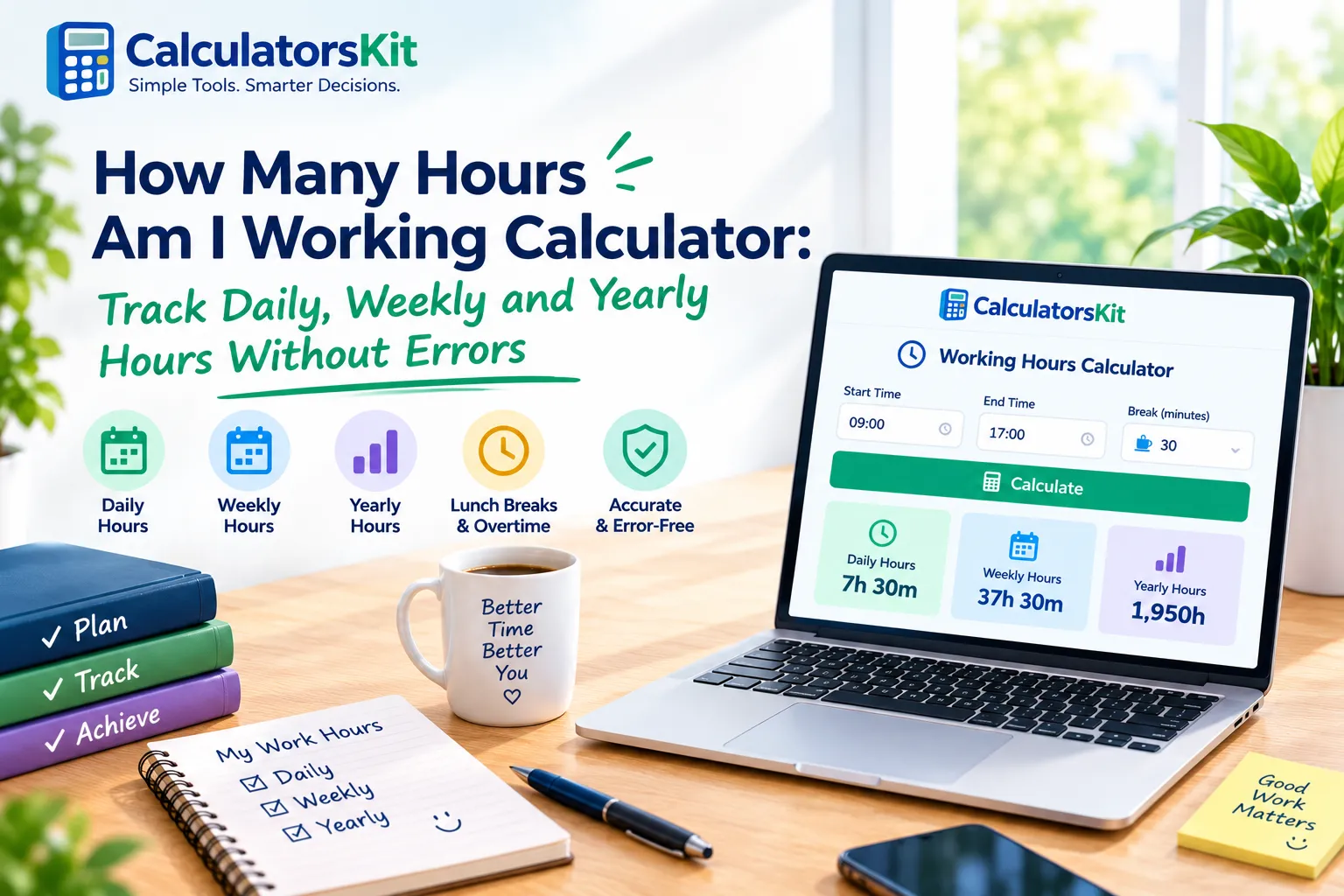
A how many hours am I working calculator turns your start time, finish time, and breaks into one clear number. Most people guess. They say "about 40 hours a week" and later find that their payslip, their timesheet, or their energy level says something different.
This guide shows you how to calculate your hours by hand, in a free online hours calculator, in an app, and in Excel. You will also learn how to handle lunch breaks, overnight shifts, and Australian work hours, plus the mistakes that quietly cost people paid time.
Calculate your daily work time by subtracting your starting time and unpaid breaks from your finishing time. Add your daily totals to find your weekly hours. For example, working from 8:30 AM to 5:00 PM with a 30-minute unpaid lunch break gives you 8 working hours. |
What a "How Many Hours Am I Working" Calculator Does
A working hours calculator helps you determine your total work time by entering your starting and finishing times. It deducts unpaid breaks, combines the hours worked across multiple days, and displays the final result in hours and minutes or decimal format for payroll calculations. People usually search for it for one of three reasons:
Paychecks: they want to confirm that their pay matches the time they worked.
Contract limits: they want to know if they are over a weekly, visa, or student-work cap.
Workload awareness: they feel tired and want proof of how long they actually work.
Your reason decides the level of detail you need. A paycheck needs exact minutes. A workload check can use rounded hours.
How to Calculate Your Daily Working Hours Step by Step
You do not need an app for one day. Follow these steps:
Write your start and finish times in 24-hour format. Use 17:00 instead of 5:00 pm. This removes am and pm mistakes.
Subtract start from finish. For 08:30 to 17:00, the gap is 8 hours 30 minutes.
Subtract unpaid breaks. A 30-minute lunch leaves 8 hours.
Change the minutes into decimal hours when preparing payroll records or calculating invoice amounts.
Use this table for fast decimal conversion:
Minutes | Decimal hours | Example |
|---|---|---|
10 | 0.17 | 7 h 10 min = 7.17 |
15 | 0.25 | 7 h 15 min = 7.25 |
20 | 0.33 | 7 h 20 min = 7.33 |
30 | 0.50 | 7 h 30 min = 7.50 |
45 | 0.75 | 7 h 45 min = 7.75 |
A very common mistake is that people type 7.30 into a timesheet when they mean 7 hours 30 minutes. In decimal time, that entry means 7 hours 18 minutes. Always write 7.50 for seven and a half hours. When you need to add several durations, a time calculator saves effort.
How to Calculate Your Total Working Hours Each Week
Add each day after you subtract breaks. Here is a real-style week for an office worker with changing start times:
Day | Time | Unpaid break | Hours worked |
|---|---|---|---|
Monday | 08:30 to 17:00 | 30 min | 8.00 |
Tuesday | 09:00 to 17:30 | 45 min | 7.75 |
Wednesday | 08:00 to 16:00 | 30 min | 7.50 |
Thursday | 08:30 to 18:00 | 30 min | 9.00 |
Friday | 09:00 to 15:30 | 30 min | 6.00 |
Total | 38.25 hours |
This person feels like they work 40 hours. The real total is 38.25. The gap looks small, but over a year it adds up to about 90 hours. Weekly tracking shows you patterns that daily guesses hide.
How Many Hours Am I Working Calculator With Lunch
Lunch breaks cause most calculation errors. Before you subtract anything, check whether your break is paid or unpaid.
Unpaid lunch: subtract it from your total.
Paid lunch or rest break: do not subtract it.
Working lunch: if you answer messages or stay at your desk, many employers count it as work time. Ask your manager or read your contract.
Split shifts: calculate each block separately, then add them. Never subtract the gap twice.
In the United States, the Department of Labor’s hours worked fact sheet says short rest periods of about 20 minutes or less count as paid work time, while real meal periods of 30 minutes or more generally do not. Rules in other countries and states differ, so check yours.
Tip: record the break length you actually took, not the one in your contract. If you cut lunch to 15 minutes on busy days, your real hours are higher.
How Many Hours Have I Worked? Today, This Week, Since a Date, and This Year
Q: How many hours have I worked today?
Subtract your start time from the current time, then remove any break you already took. If you started at 09:00, it is 14:20, and you took a 30-minute break, you have worked 4 hours 50 minutes.
Q: How many hours have I worked this week?
Add each finished day, then add today so far. Check this on Wednesday or Thursday. It tells you whether you must shorten Friday to avoid overtime or whether you need extra hours to reach your contract total.
Q: How many hours have I worked since a certain date?
Use a date calculator to count the days between the two dates, keep only working days, multiply by your average daily hours, and subtract leave days. This method suits freelancers who invoice by the month or the project.
Q: How can I calculate my total working hours for the year?
You can estimate your annual work hours by multiplying your average weekly hours by the number of weeks you worked. For a more precise calculation, count your actual working days and use your average daily hours instead.
Count weekdays in the year (about 260).
Subtract annual leave, sick leave, and public holidays.
Multiply the remaining days by your average daily hours.
For example, subtract 20 vacation days and 10 public holidays from 260 weekdays, leaving 230 working days. If you work 7.6 hours per day, your estimated annual working time will be 1,748 hours.
Free Calculator vs App vs Spreadsheet: Which Should You Use?
Option | Best for | Main drawback |
|---|---|---|
Free online calculator | Quick checks and one-off weeks | No saved history |
Mobile app | Daily tracking with reminders | Needs consistent use |
Excel or Google Sheets | Custom rules, yearly totals, payroll | Setup takes 10 minutes |
Paper notebook | Jobs with no phone access | Maths errors are common |
Practical tip: use a free calculator to learn your pattern for two weeks. If your hours change often, move to an app with a start and stop button. If your employer wants formal punch records, a time card calculator fits better. If you invoice clients or review pay every month, build a spreadsheet.
Weekly Hours Calculator in Excel: Formulas That Work
Set up four columns: Date, Start, End, and Break (minutes). Then use these formulas.
Daily hours (decimal): =(MOD(C2-B2,1)*24)-(D2/60)
Weekly total: =SUM(E2:E6)
Overtime above 40 hours: =MAX(0,E7-40)
Working days between two dates: =NETWORKDAYS(A2,B2)
The NETWORKDAYS function skips weekends, and you can add a list of holiday dates as a third argument. The MOD function fixes overnight shifts. Without it, a shift from 22:00 to 06:00 returns a negative number. Format your hour cells as Number with two decimals, or use the [h]: mm format when you want totals above 24 hours to display correctly.
Google Sheets accepts the same formulas. Use data validation on the time columns so nobody can type text by mistake. If you would rather skip the setup, the hours calculator also exports your weekly schedule as a CSV file.
Working Hours Calculator Australia: What to Check
Australian workers often search for a local version because rules differ from other countries. The National Employment Standards set a maximum of 38 weekly hours for a full-time employee, plus reasonable additional hours. The Fair Work Ombudsman explains this in its maximum weekly hours fact sheet. Overtime, penalty rates, and break rules depend on your award, enterprise agreement, or contract.
Use these steps:
Find your award or agreement on the Fair Work Ombudsman website.
Note your ordinary hours, break rules, and overtime trigger.
Calculate your weekly hours with the steps above.
Compare the result with your payslip.
A standard 38-hour week works out to 7.6 hours a day over five days. Use 7.6 in your calculator instead of 8 if you want a realistic full-time benchmark. This is general information, not legal advice. For disputes, contact Fair Work or your union.
Common Mistakes That Make Your Hours Wrong
Mixing decimal and clock time. 7.30 is not 7 hours 30 minutes.
Rounding every day up or down. Round only the weekly total, or follow your employer’s written rule.
Forgetting off-hours work. Emails and calls before or after official hours can count as work in some jobs.
Counting breaks twice. If your finish time already excludes lunch, do not subtract it again.
Ignoring time zones. Remote workers who travel should log times in one zone.
Tracking from memory. Write times at the moment you start and stop. Memory is unreliable, and small errors add up across a week.
Real Scenarios and How to Calculate Them
Night shift
A nurse works 21:00 to 07:30 with a 45-minute break. The gap is 10.5 hours. Subtract 0.75, and the total is 9.75 hours. Log it under the day the shift started, so your weekly totals stay consistent.
Two jobs in one week
Calculate each job separately, then add them for your total workload. Keep them separate for pay and contract limits. This matters for student visas, benefits, and overtime rules.
Freelancer with unpaid admin time
A designer bills 30 hours but spends 8 more on emails and invoices. Her real work week is 38 hours, and her effective hourly rate is lower than she thinks. Track billable and non-billable time in two columns.
A Simple Weekly Tracking Workflow
A calculator only helps when the data is honest. This routine takes about three minutes a day:
Log start and stop times live. Use your phone clock or a timer app at the moment you begin and finish.
Record each break separately. Note its length, and mark it paid or unpaid.
Review on Friday. Add the week, compare it with your contract, and note the gap.
Archive monthly. Save a copy of each month as a PDF or spreadsheet tab. It becomes your proof if a pay question comes up later.
After four weeks, you will see your real average. Most people find that one or two days run much longer than the rest, and that insight helps you plan better.
How to Use Your Results
Compare with your contract. A steady gap of two or more hours means you should raise it with your manager.
Check pay accuracy. Match weekly totals to your payslip every month.
Plan your week. Check your total on Wednesday, then adjust Thursday and Friday.
Protect your health. Long weeks over several months raise fatigue and error rates. Use your data to set limits.
Price your time. Divide monthly income by actual hours, not contract hours.
Frequently Asked Questions
Q: How many hours am I working per week if I work 9 to 5?
With a one-hour unpaid lunch, you work 7 hours a day and 35 hours a week. With a 30-minute lunch, you work 7.5 hours a day and 37.5 hours a week.
Q: Is there a free how many hours am I working calculator?
Yes. Many free online tools and spreadsheet templates exist. Choose one that lets you enter break time and shows decimal and clock results.
Q: How do I calculate hours worked with minutes?
Convert minutes to decimals by dividing by 60. For example, 40 minutes equals 0.67 hours.
Q: How many hours is a full-time job?
It depends on your country, contract, and award. Many full-time jobs use 35 to 40 hours a week. Australia uses 38 ordinary hours as the standard.
Conclusion
A how many hours am I working calculator takes two minutes to use and can save you real money and stress. Start with one week of honest records. Compare the total with your contract and payslip. Then choose the tool that fits your job, whether that is a free calculator, an app, or a simple spreadsheet.
Related Articles

Calculate work hours, lunch breaks, overtime, and pay instantly with our free Time Card Calculator. Fast, accurate, and perfect for employees & payroll.

Wondering how much water you need daily? Use our free water intake calculator to get your ideal amount in mL, litres, and oz based on your weight and activity.

See how long your savings can last in retirement. Calculate withdrawals, inflation, taxes, and returns with real $750K and $2M examples.
Calculate standard error quickly with formulas and examples. Learn SE for means, proportions, two samples, confidence intervals, Excel, and Casio.